

MAMIAS (Marine Mediterranean Invasive Alien Species) is the regional database of non-indigenous marine species recorded in the Mediterranean Sea, run by SPA/RAC for UNEP/MAP. Anyone can browse it; with a free account you can also contribute.
- What you can do
- Browsing without an account
- Your account
- Contributing
- Emails, privacy and terms
- Questions and problems
What you can do
| You can | Without an account | With an account |
|---|---|---|
| Browse the species catalogue and each species' page | Yes | Yes |
| Explore the species on a map, by subregion or country | Yes | Yes |
| See the Mediterranean and by-country dashboards | Yes | Yes |
| Read the legal pages, cookies policy and terms | Yes | Yes |
| Submit bibliographic references | No | Yes |
| Report a sighting of a listed species | No | Yes |
| Suggest a species MAMIAS does not list yet | No | Yes |
| Keep a profile (your name, country, expertise) | No | Yes |
Everything contributors send is checked by the MAMIAS team before it appears in the database.
Browsing without an account
The whole database can be read without signing in. Use a computer or a tablet: on a phone-sized screen the site currently shows a notice asking for a larger screen.
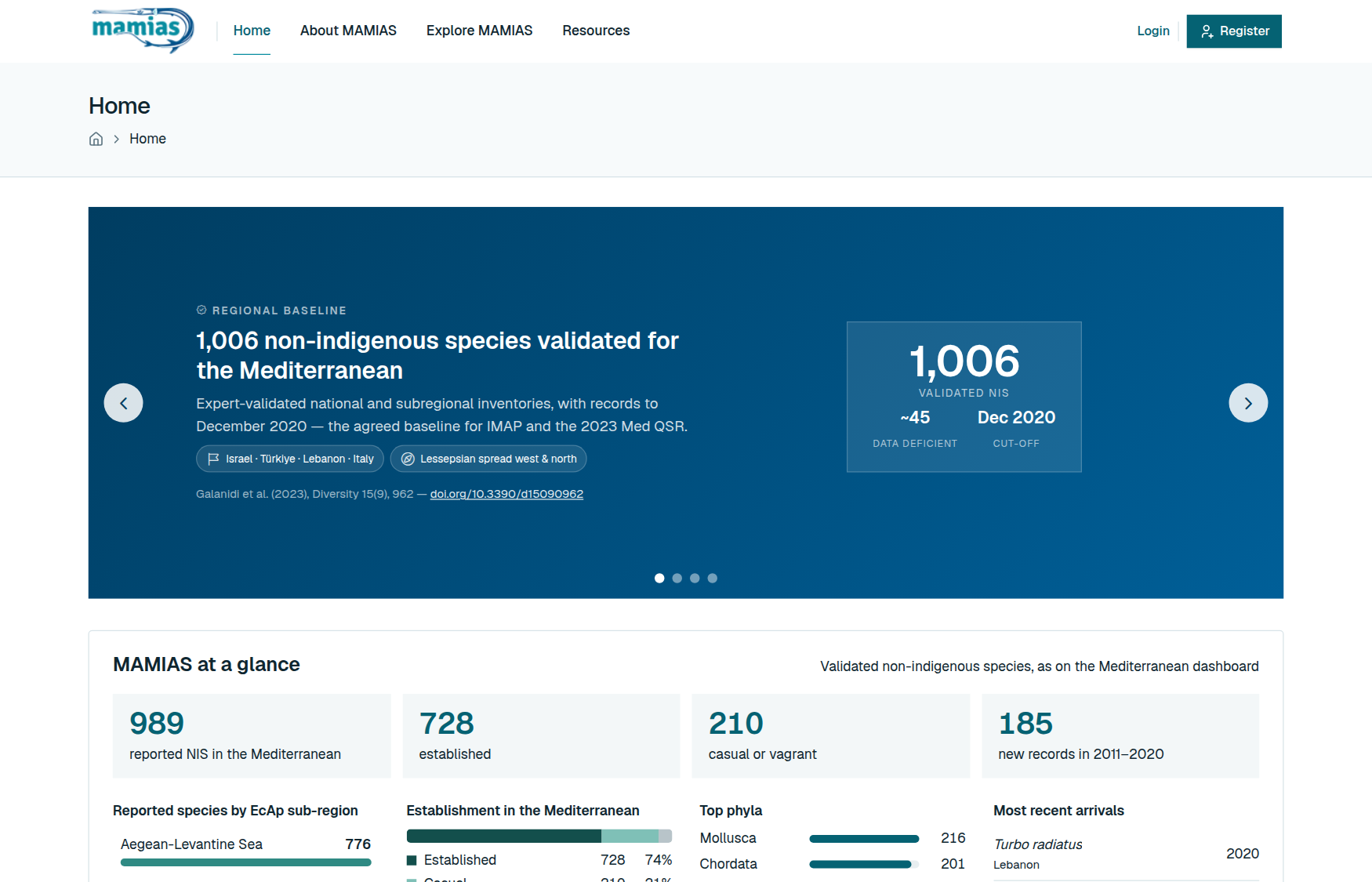
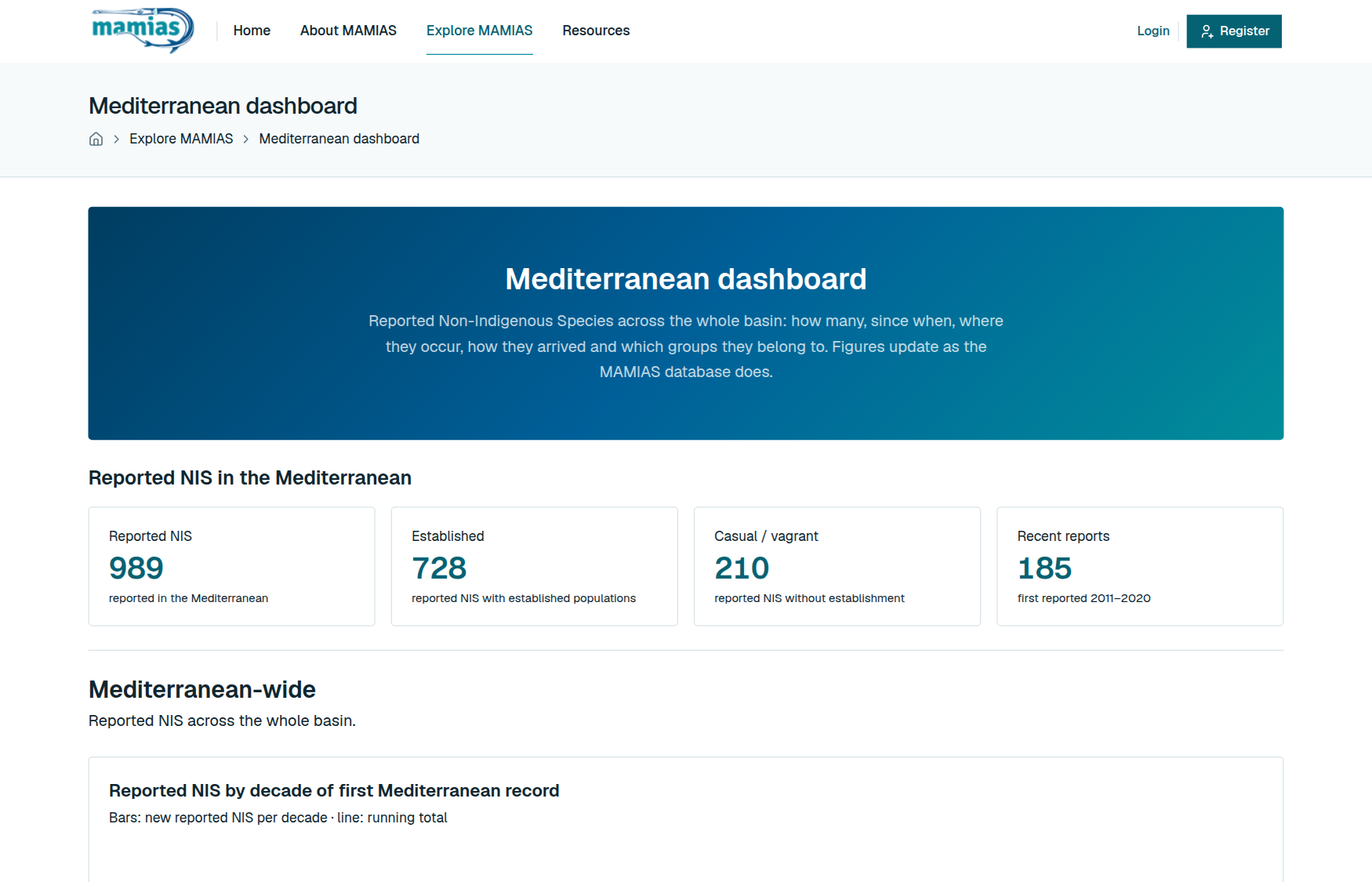
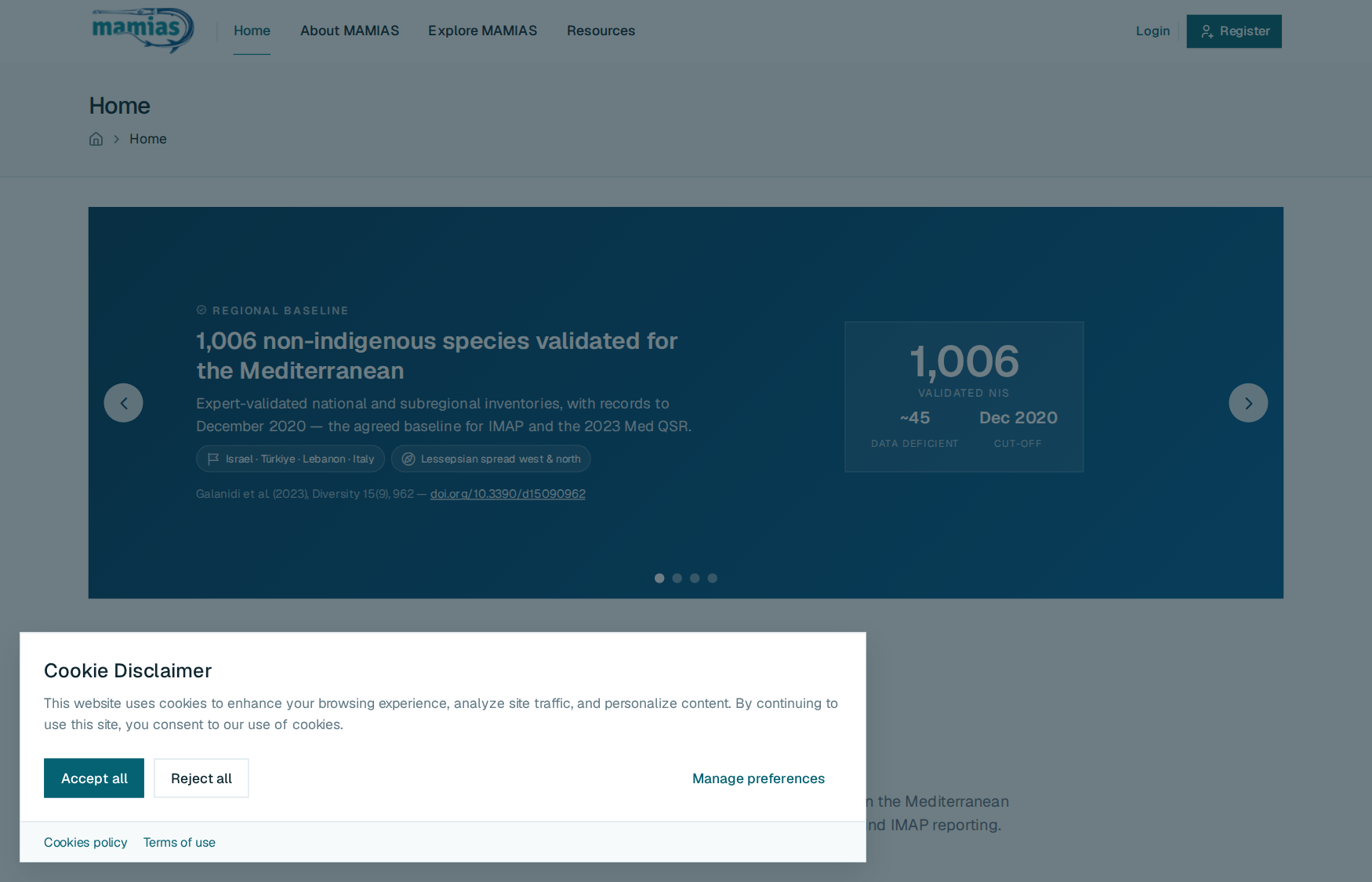
Home page (/). An overview of MAMIAS with links to everything below. Its MAMIAS at a glance block sums up the Mediterranean dashboard: how many non-indigenous species are reported, how many per EcAp sub-region (click one to see it on the map), how established they are, the main groups and the latest arrivals.
Data explorer (/pages/data). Every non-indigenous species in the catalogue, one row each:
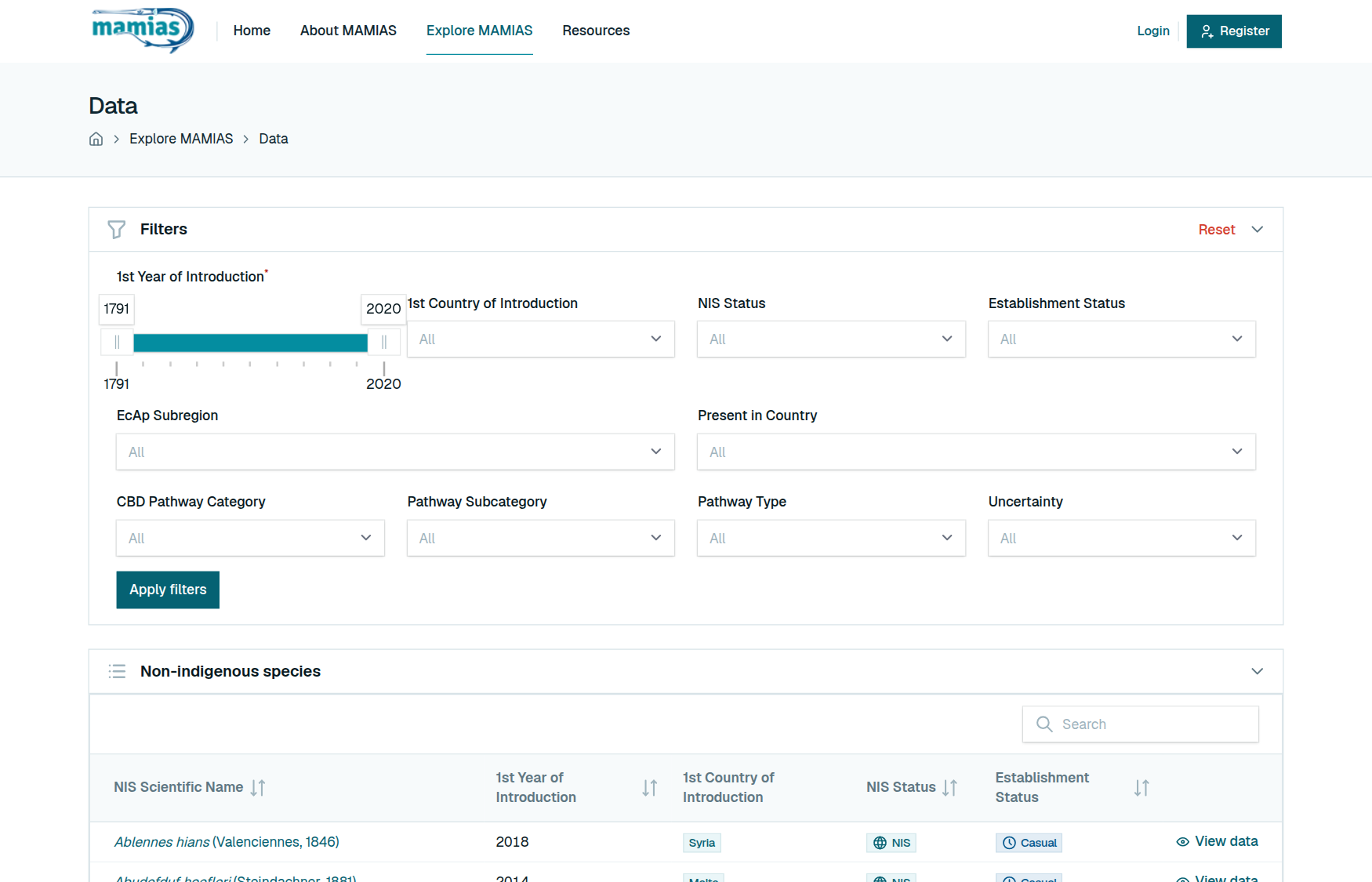
| Column | Meaning |
|---|---|
| NIS Scientific Name | The species, as accepted by WoRMS |
| 1st Year of Introduction | Year of its first record in the Mediterranean |
| 1st Country of Introduction | Country of that first record |
| NIS Status | Whether it counts as introduced (NIS), cryptogenic, questionable, a range expansion or data deficient |
| Establishment Status | Whether it reproduces there: established, invasive, casual, and so on |
Type in Search to find a species by name or family. Filters above the table narrow it by year range, country, statuses, EcAp sub-region and introduction pathway: pick them, then click Apply filters. Click a row, or its View data button, to open the species. The page's Guide button explains it step by step.
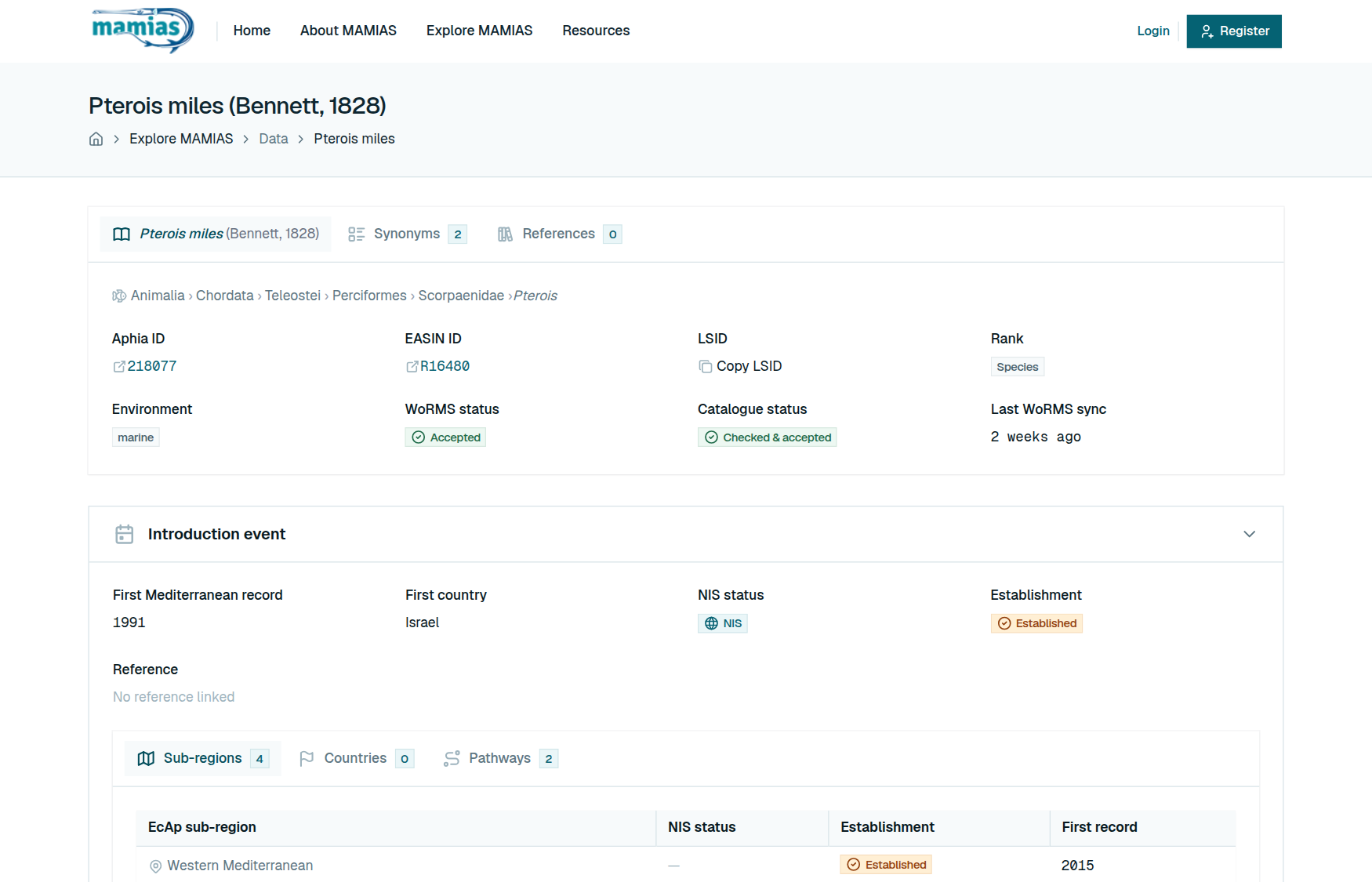
Species page (/pages/data/…). Three parts. First, three tabs on one row: the species itself (its name and authority as the tab title, then its classification, identifiers and statuses; the Aphia ID links to WoRMS), Synonyms and References. Then the Introduction event (first record, statuses and the reference that documents it, with tabs for sub-regions, countries and pathways), and Occurrences, a map of every approved sighting.
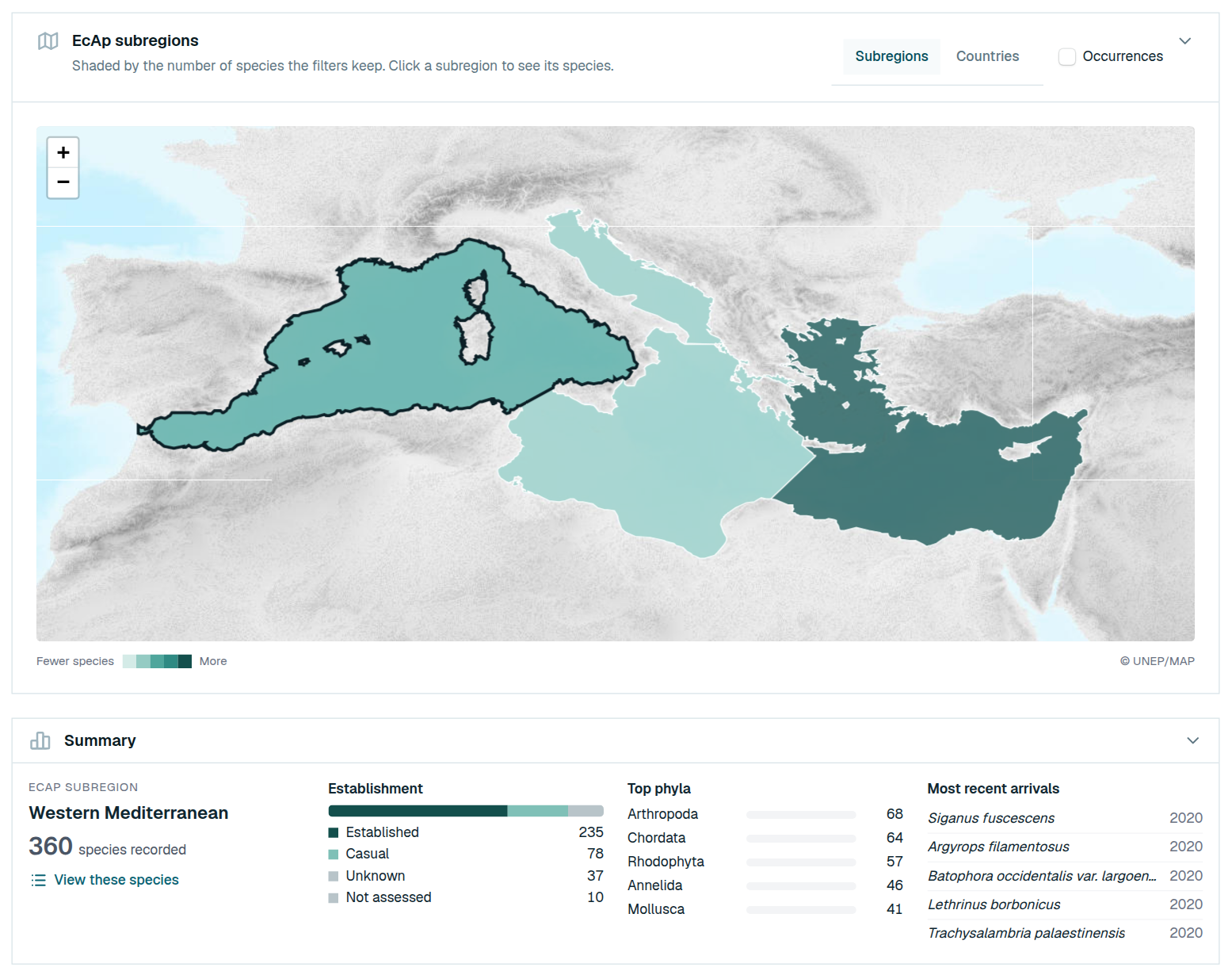
Map (/pages/map). The species on a map of the Mediterranean, either by EcAp subregion (shaded by the number of species) or by country of first record (one bubble per country, at its centre or near its coast, sized by the number of species; no national boundaries are drawn). Click an area to see its summary (statuses, main groups, latest arrivals) and its species. The data explorer's filters sit above the map and apply at once; tick Occurrences to pin the approved sightings. The page's Guide button explains it step by step.
Dashboards. Mediterranean dashboard gives the basin-wide picture: how many species, since when, where, by which pathway, in which groups. Dashboard by country gives the same for one country. Both count only validated non-indigenous species, following the baseline of Galanidi et al. (2023).
Your account
An account is free and takes two minutes. You need one only to contribute.
Create an account
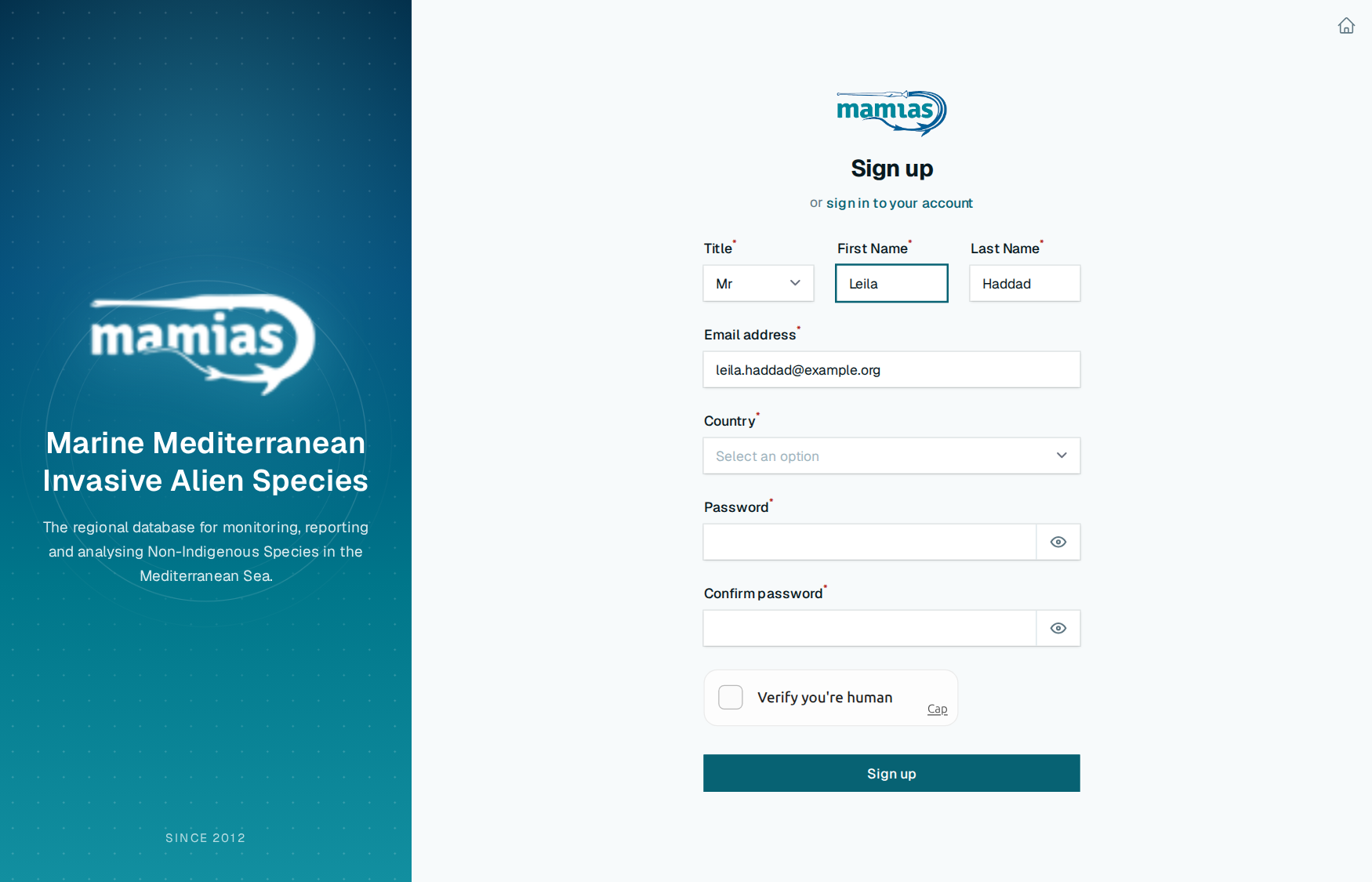
- Open /login and click sign up for an account.
- Fill in your title, first and last name, country, email address and a password, then tick the human check.
- Click Sign up. MAMIAS emails you a confirmation link.
- Click Visit MAMIAS in that email to confirm your address. Until you do, you can sign in but not contribute.
No email after a few minutes? Check your spam folder, then use the link on the confirmation screen to send it again.
Sign in and out
Sign in at /login with your email and password. You land on the home page; your name at the top right opens your menu:
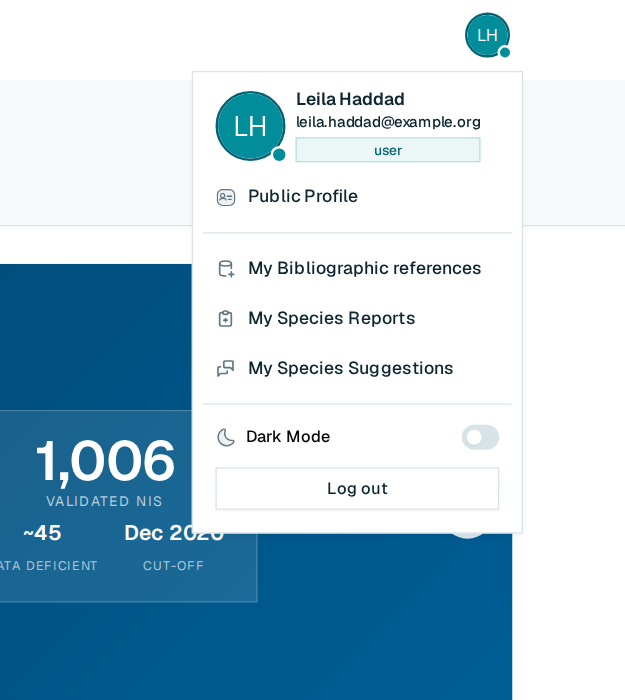
- Public Profile
- My Bibliographic references
- My Species Reports
- My Species Suggestions
- Log out
Forgot your password? Click Forgot password? on the sign-in page and follow the emailed link.
Your profile
Public Profile holds what the MAMIAS team knows about you:
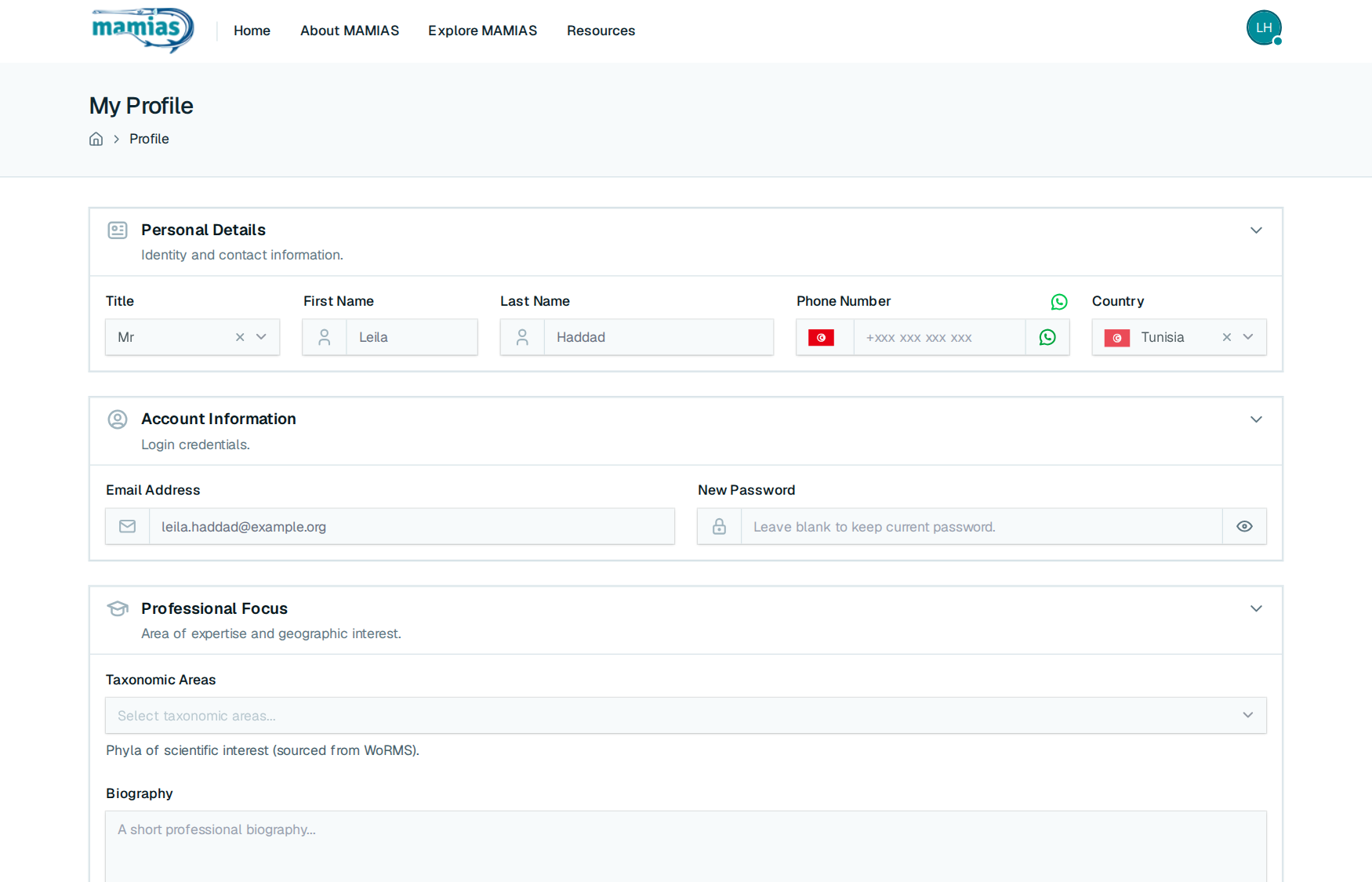
- Personal details: title, name, phone (a button checks whether it is on WhatsApp), country.
- Account: email address and password. A new email address must be confirmed again.
- Professional focus: the taxonomic groups you know, a short biography, and the EcAp sub-regions and countries you work in. It helps the team know whom to ask about a record.
Click Save Data when you are done.
Contributing
There are three ways to add to MAMIAS, each with its own page in your menu. Pick by what you have in hand:
| You have | Use | Button |
|---|---|---|
| A publication recording a non-indigenous species | My Bibliographic references | Add New Reference |
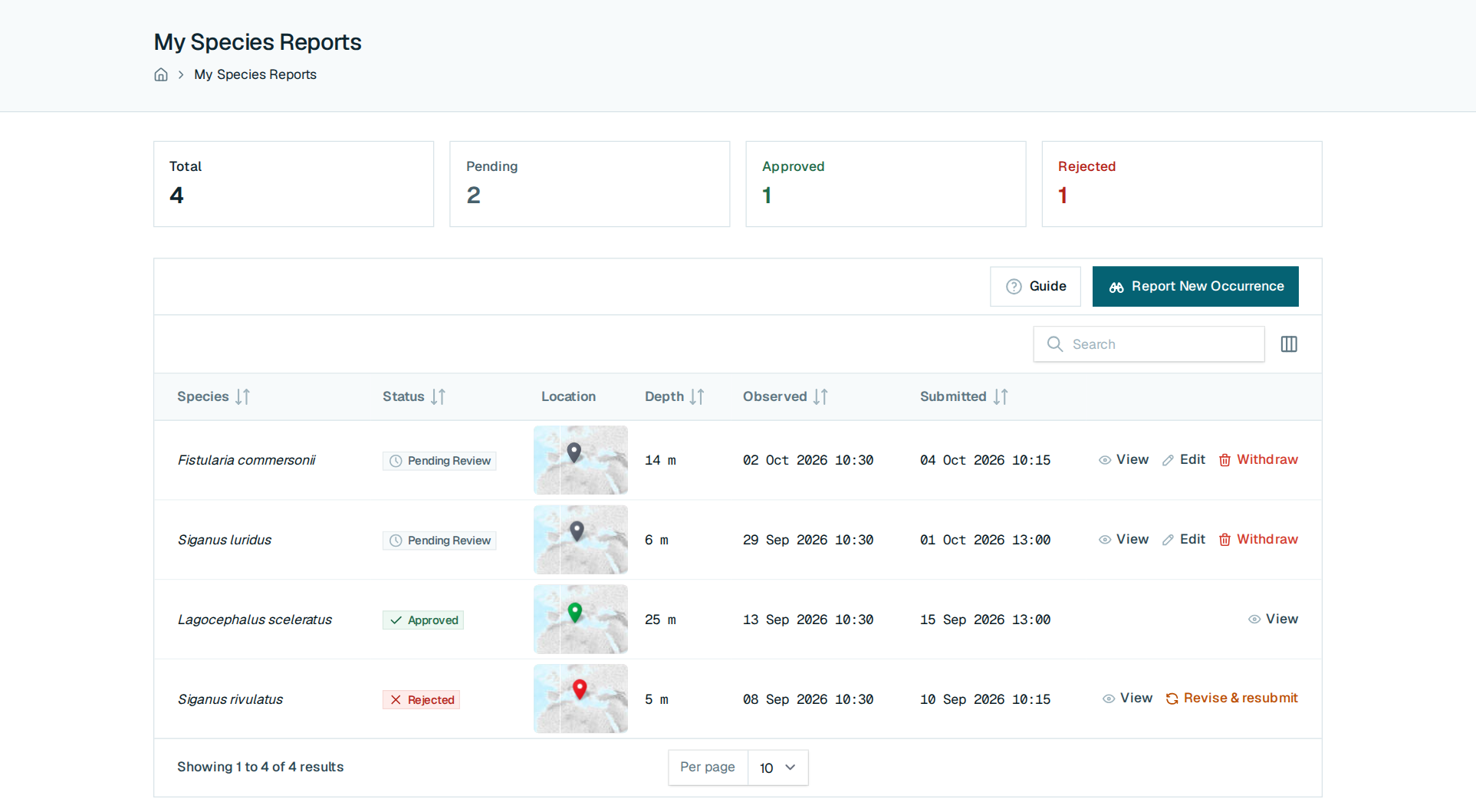
| A sighting of a species MAMIAS already lists | My Species Reports | Report New Occurrence |
| A non-indigenous species MAMIAS does not list yet | My Species Suggestions | Suggest New NIS |
Each page shows your submissions with their status (Pending Review, Approved, Rejected) and counters at the top. Each has a Guide button with illustrated, step-by-step help; the summary below is enough to start.
Add a reference
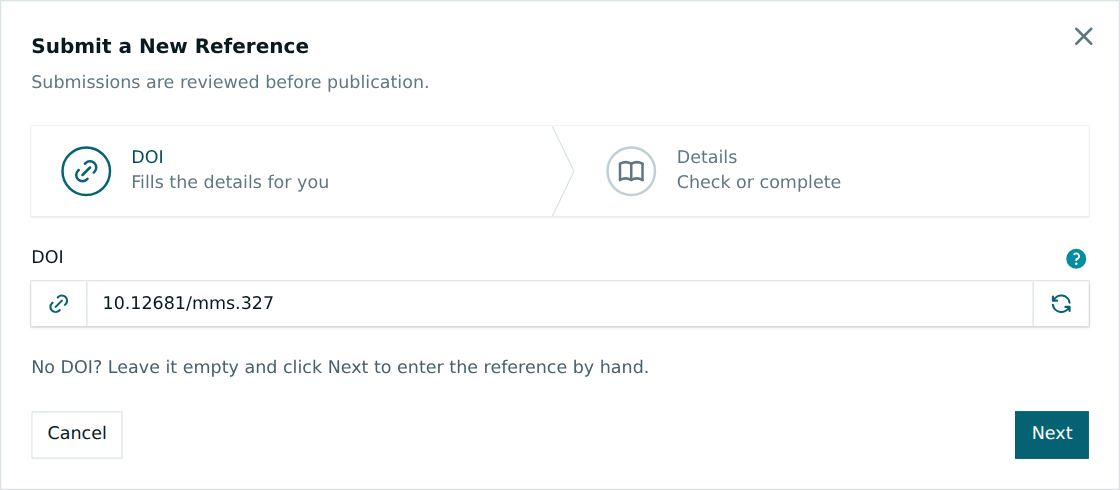
Paste the publication's DOI: the title, authors, year and type are filled in from Crossref. Check them, attach the PDF if you have it (10 MB at most), and submit. If MAMIAS already holds the publication, the form says so under the DOI. A rejection is final for references, but you can discuss any reference with the reviewers through its Discussion badge.
Report a sighting
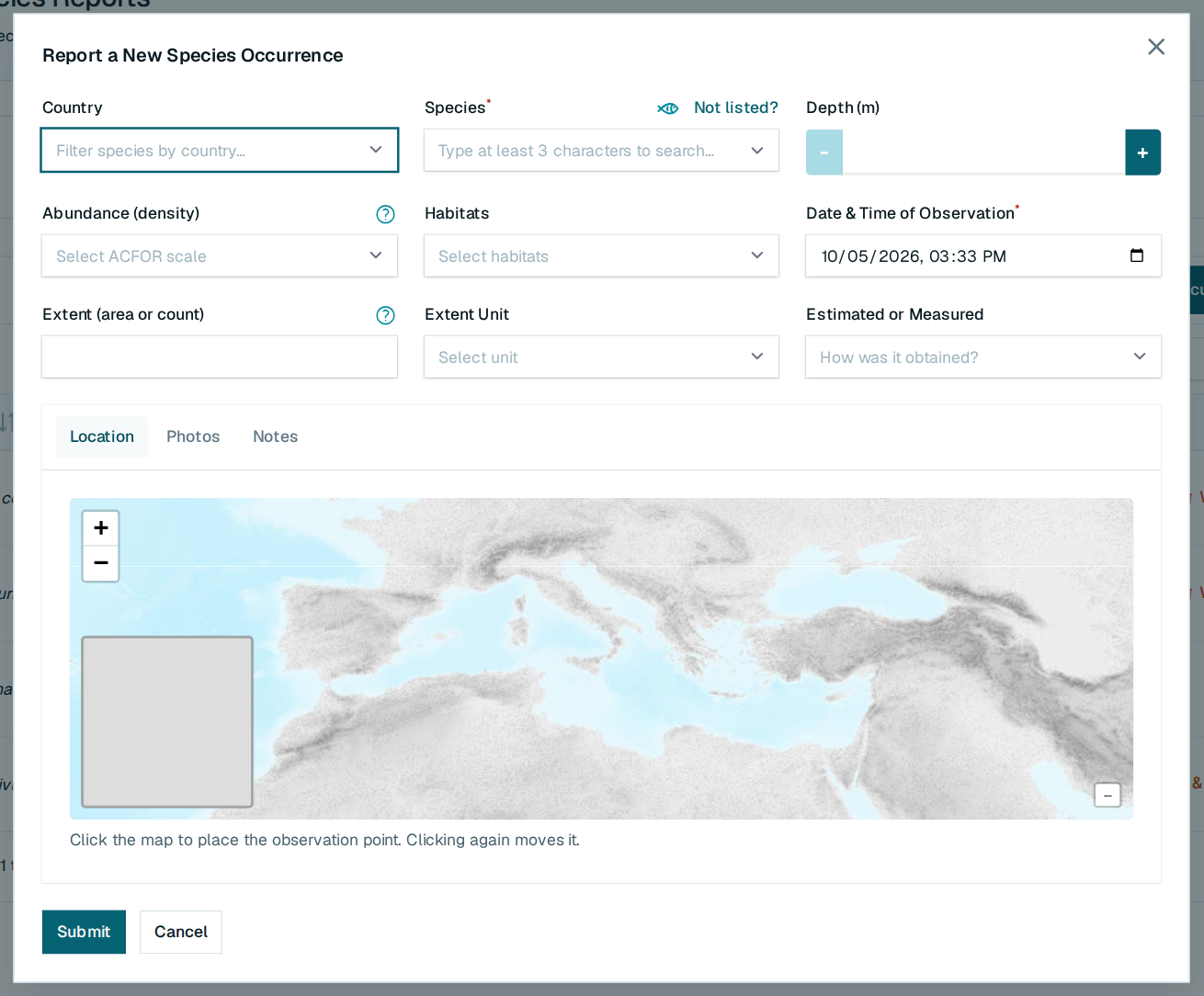
Choose the Species (type three letters; pick a country first to narrow the list), the date and time you saw it, and click the map where you saw it, in the sea, not on the shore. Add depth, abundance (the ACFOR scale), habitats, how much there was, photos (JPEG, PNG or WebP, 5 MB each) and notes as far as you know them. While a report is pending you can Edit or Withdraw it. If it is rejected, hover the status for the reason, then Revise & resubmit. Species not in the list? Click Not listed? above the Species field.
Suggest a species
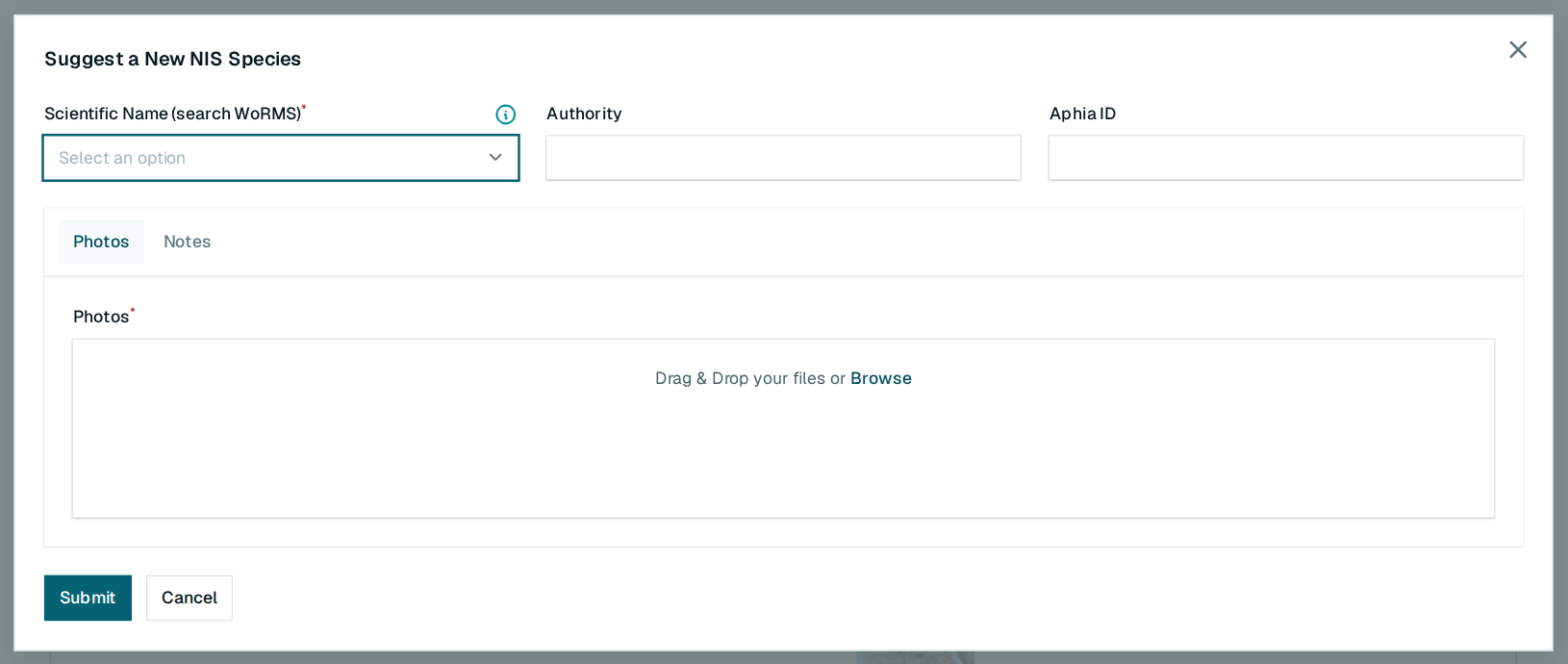
Type at least four letters of the scientific name: names come from WoRMS, and [verified] marks the accepted one. Authority and Aphia ID fill in by themselves. Add photos (required) and link the publications that record the species in the Mediterranean. When approved, the species joins the catalogue as a draft for the team to complete. If rejected, Resubmit sends a copy back with whatever you add. The Discussion in a suggestion's details is the place to talk with the team; replies are not emailed, so look back for them.
Emails, privacy and terms
MAMIAS emails you only about your own account and submissions:
| When | Its button opens | |
|---|---|---|
| Confirm your address | You sign up or change your email | MAMIAS, confirming the address |
| Password reset | You click Forgot password? | The new-password page |
| Your reference was reviewed | A reviewer approves or rejects a reference | My Bibliographic references |
| New comment on your reference | A reviewer writes in its Discussion | The reference, to reply |
| Your occurrence report was approved / not accepted | A reviewer decides on a sighting | My Species Reports |
| Your species suggestion was approved / not accepted | A reviewer decides on a suggestion | — |
Buttons in MAMIAS emails open the site in a normal browser tab.
Cookies. On your first visit a dialog asks for your choice: Accept all or Reject all. The site stays dimmed until you answer. To change your mind later, use Change Cookie Preferences at the bottom of any page. The Cookies policy page lists each cookie, why it is set and for how long.
Terms. The Terms of use page sets the conditions for using MAMIAS and contributing records. MAMIAS data may be reused under the CC BY 4.0 licence: credit MAMIAS as the source. The Legal notice names the publisher and host.
Questions and problems
| Problem | What to do |
|---|---|
| The page is dimmed and nothing responds to clicks | Answer the cookie dialog (Accept all or Reject all) |
| The site asks for a larger screen | Use a computer or tablet; phone screens are not supported yet |
| No confirmation email after signing up | Check spam, then resend it from the confirmation screen |
| I can sign in but not open My Species Reports | Confirm your email address first |
| I forgot my password | Forgot password? on the sign-in page |
| My species is not in the report form | It is not catalogued yet: suggest it with Not listed? |
| My report was rejected | Hover its status for the reason, then Revise & resubmit |
| My reference was rejected | Rejection is final; ask the reviewers in its Discussion if you disagree |
| A map stays grey | The map server is briefly unreachable; reload the page later |
For anything else, write to the MAMIAS team at the contact address given on the Legal notice page.